Measure | Identify | Pick with Precision

The ultimate browser extension for web designers. Streamline your workflow with pixel-perfect measurements, font identification, and color picking.

Powerful Design Tools ๐Ÿ› ๏ธ

Three essential tools to enhance your web design workflow

Measurement Tool

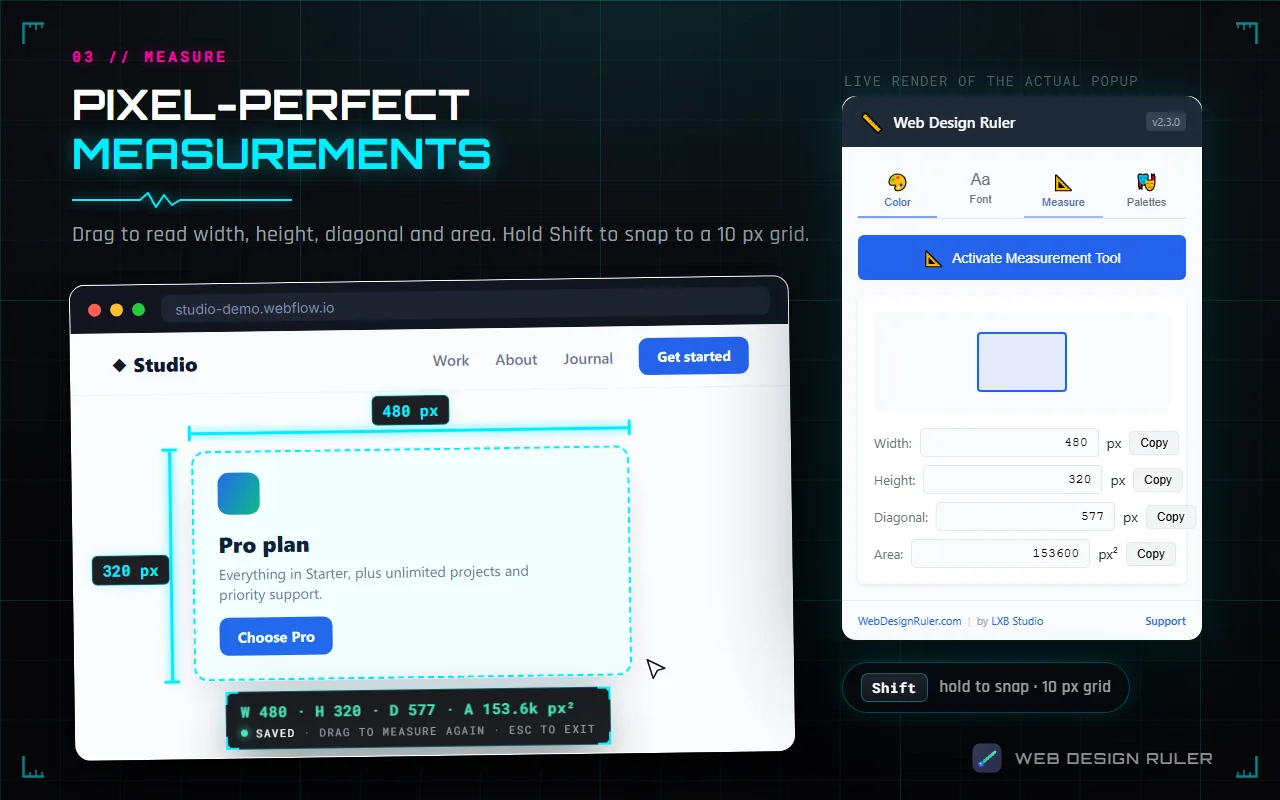
Get precise measurements of any element on a webpage. Measure width, height, and diagonal dimensions with pixel-perfect accuracy.

Font Detector

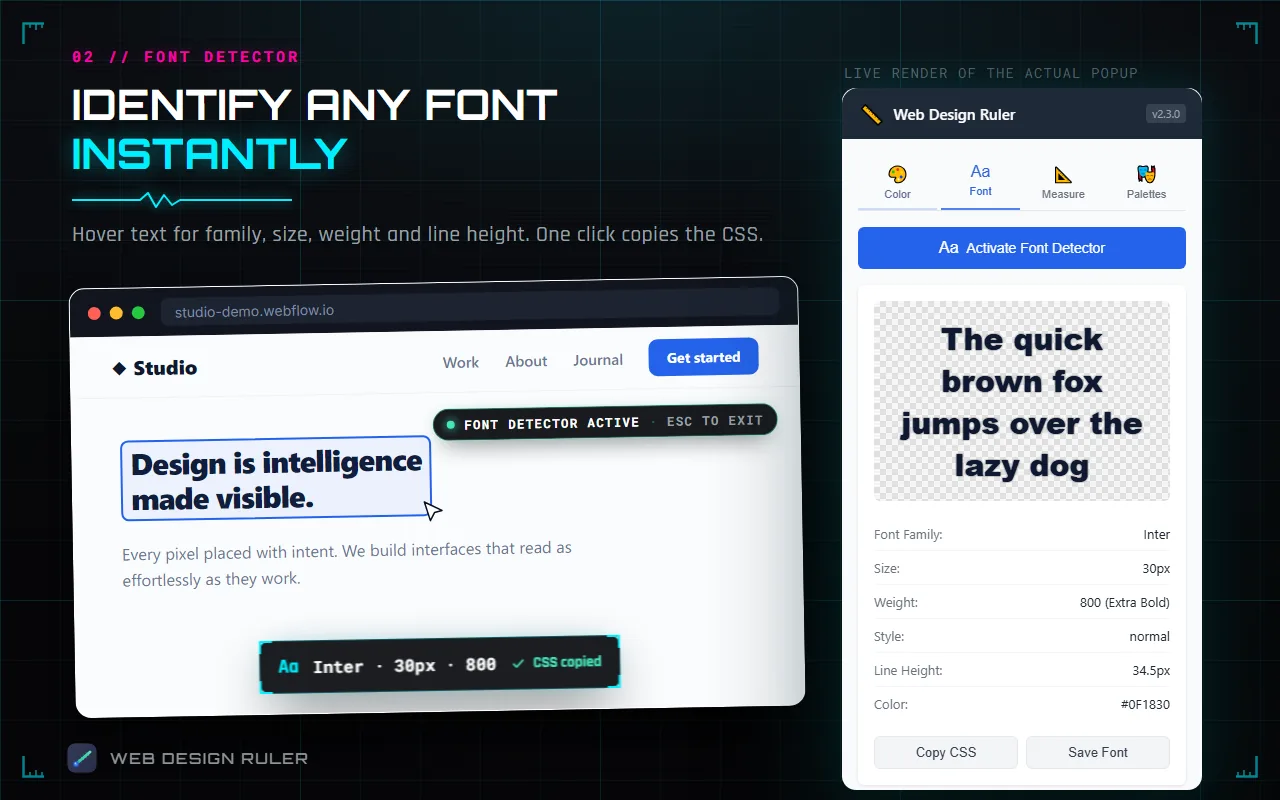
Identify fonts used on any webpage. Discover font family, size, weight, style, and other typography details with a single click.

Color Picker

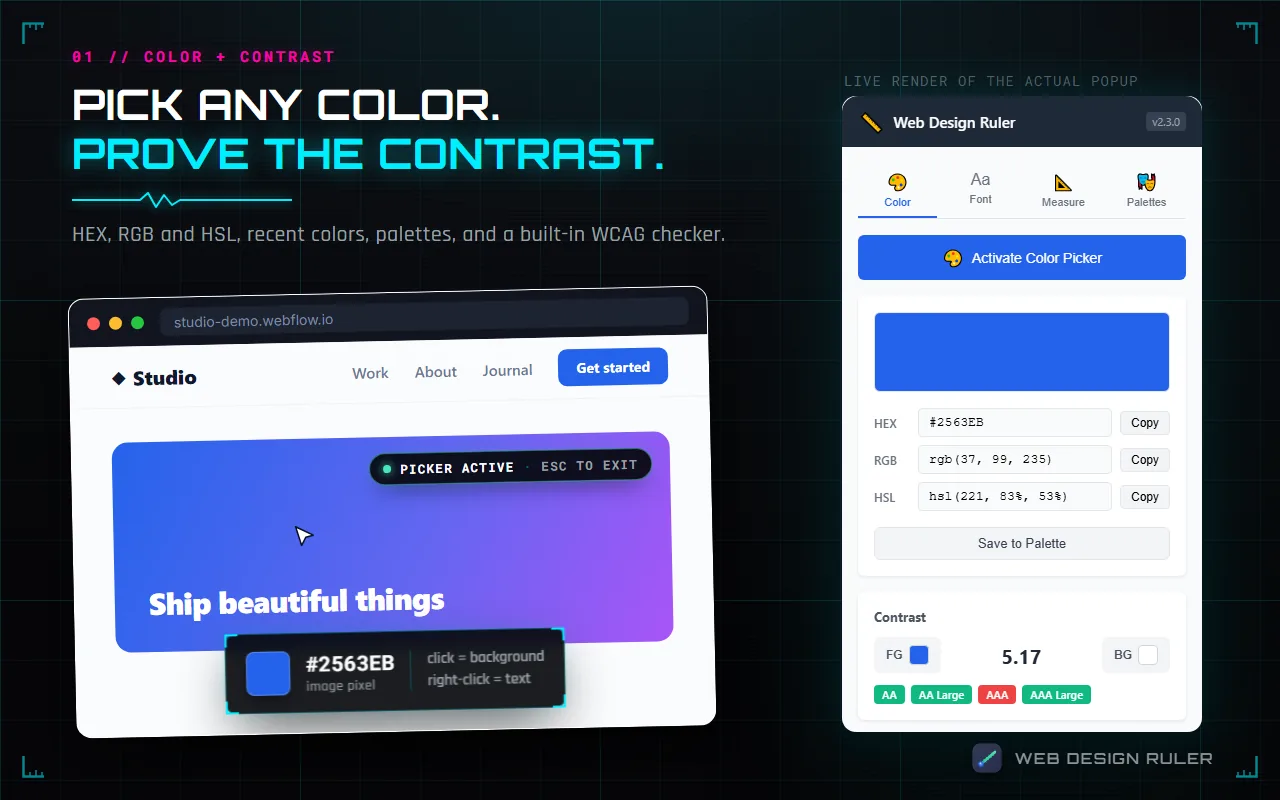
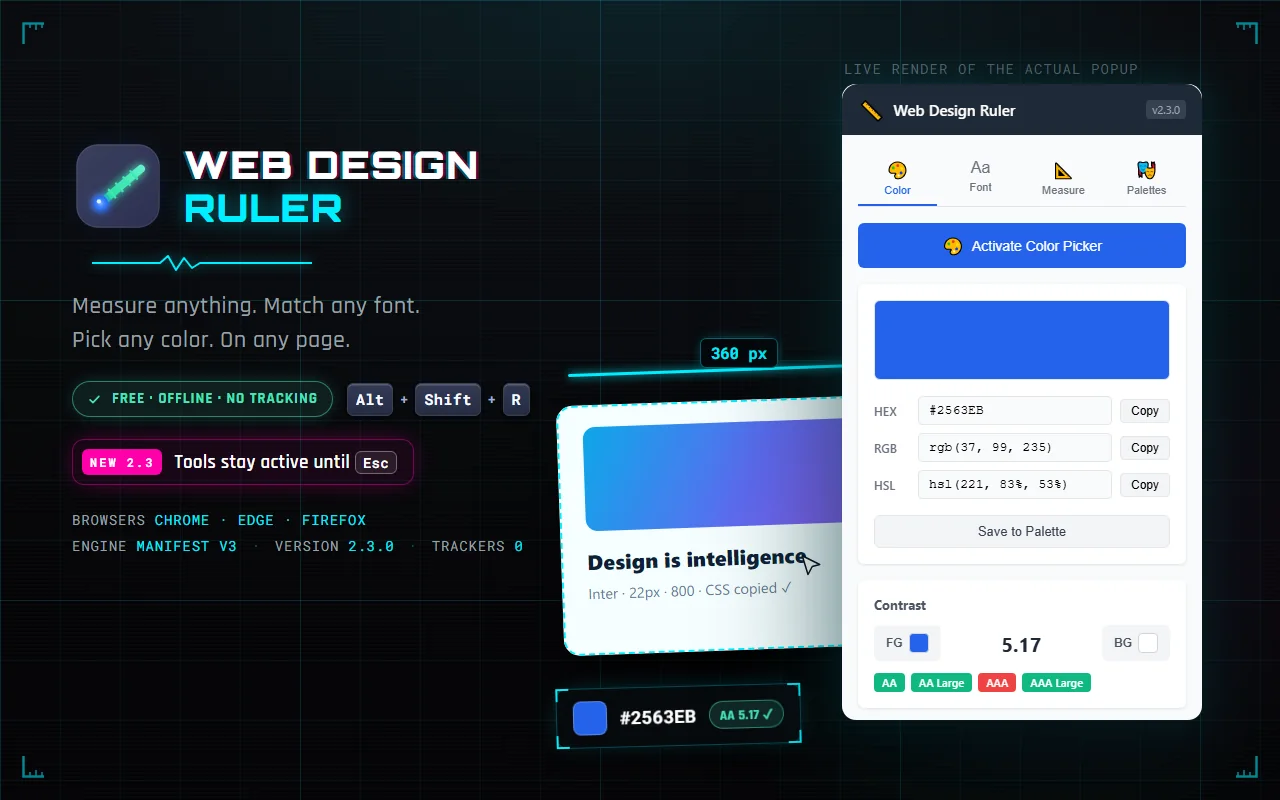
Extract colors from any element on a webpage. Get HEX, RGB, and HSL values to maintain design consistency and efficiency.

How It Works โš™๏ธ

Simple, intuitive design tools at your fingertips

1

Install the Extension

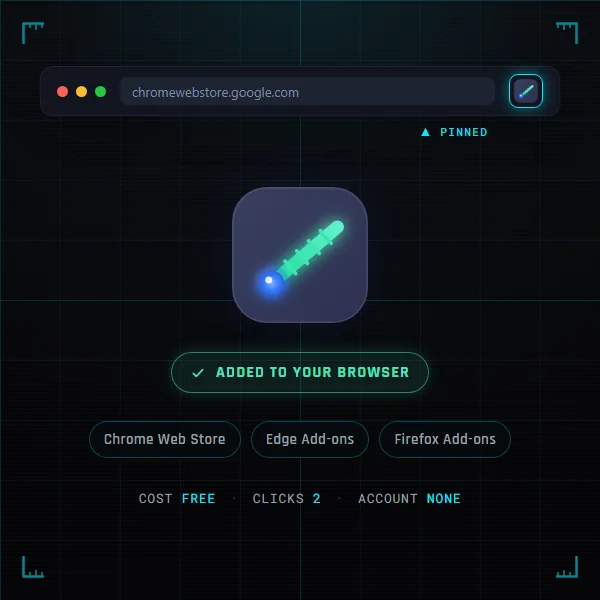
Download and install the Web Design Ruler extension for Chrome, Firefox, or Chromium-based browsers.

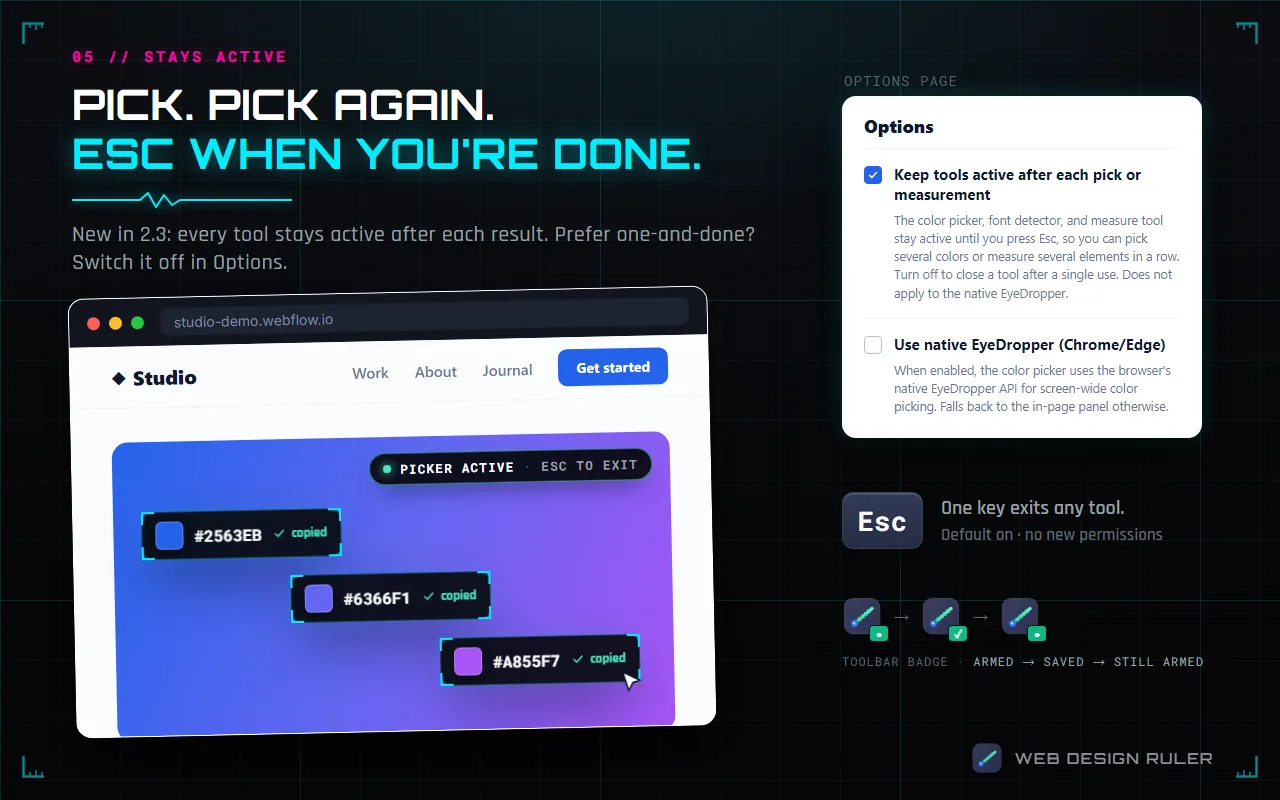
Chrome extension installation screen
2

Activate the Tool

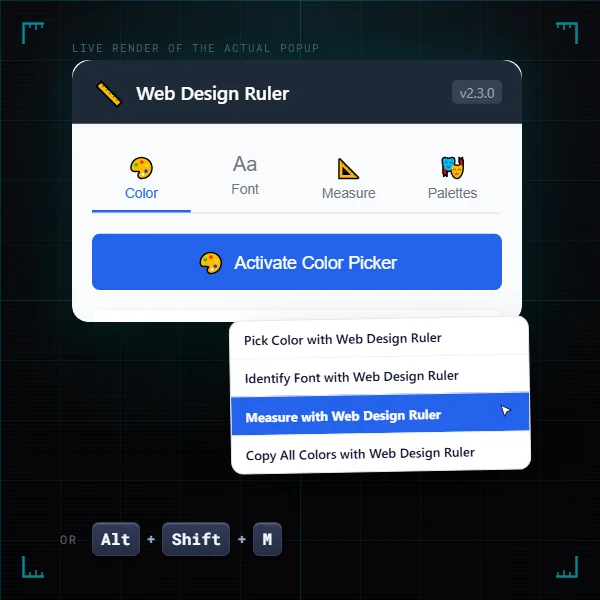
Click on the extension icon and select the tool you need, or use the right-click context menu.

Extension dropdown menu with tool options
3

Use with Precision

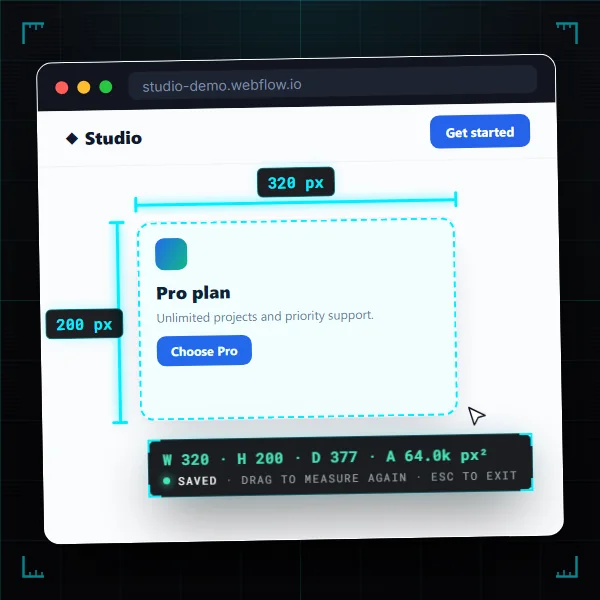
Interact with the webpage to measure elements, identify fonts, or pick colors with pixel-perfect accuracy.

Measurement tool in action on a webpage

Installation Guide ๐Ÿ’ป

Install Web Design Ruler from official stores or as an unpacked extension

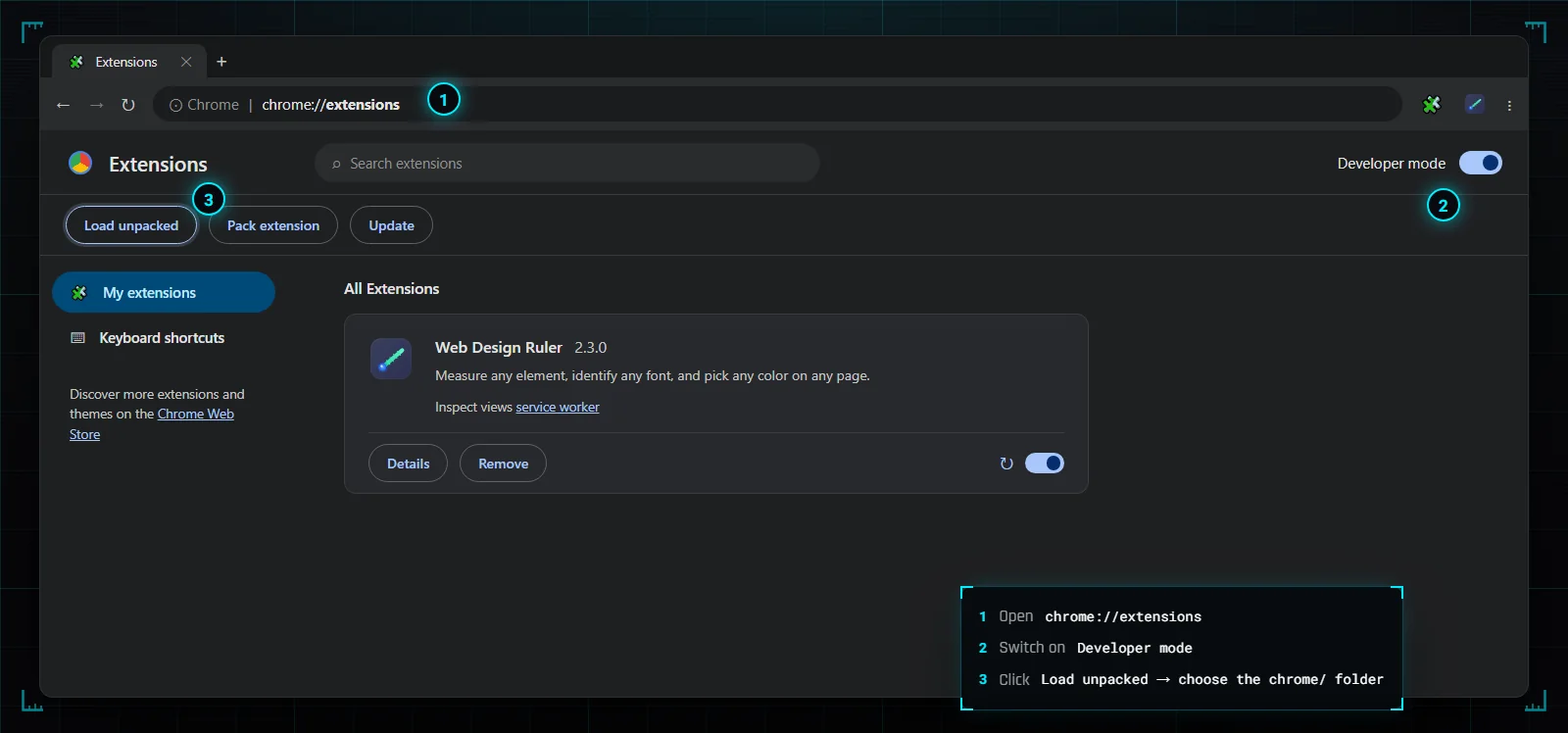
Chrome extensions page showing load unpacked process

Install from Official Stores (Best)

For Chrome: Visit the Chrome Web Store and click "Add to Chrome". For Firefox: Visit Firefox Add-ons and click "Add to Firefox".

Or Download from GitHub Releases

Download the Web Design Ruler extension files from our GitHub Releases page. Save the ZIP file to your computer and extract it.

Open Extensions Page

For Chrome: Type chrome://extensions in the address bar. For Firefox: Type about:addons in the address bar.

Enable Developer Mode (Chrome Only)

Toggle on the "Developer mode" switch in the top-right corner of the Extensions page.

Load Unpacked Extension

Click the "Load unpacked" button and navigate to the folder where you extracted the extension files. Select the folder and click "Select Folder".

โš ๏ธ Important Warning for Manual Installation

Do not delete or move the extension folder after installation. Since this is an unpacked extension, Chrome needs the folder to remain in its original location. If you delete or move the folder, the extension will stop working.

Privacy & Security ๐Ÿ”’

Your privacy and security are our top priorities

No Data Collection

Web Design Ruler operates entirely on your device. We don't collect, store, or transmit any of your data or browsing history to our servers or third parties.

Limited Permissions

Our extension only requests the minimum permissions needed to function. We can only access the active tab when you explicitly activate one of our tools.

Clean Code

No ads, no trackers, no bloat. The extension is built with clean, efficient code focused solely on providing helpful design tools.

Open

The extension is built with transparent practices. You can inspect the code yourself since it's installed as an unpacked extension.

Malware-Free

Our extension contains no malware or harmful code. It's a simple, focused tool created by designers for designers at LXB Studio.

Works Offline

All functionality works completely offline. No internet connection is required for the tools to operate after installation.

Why We Built This ๐Ÿ’ก

As web designers and developers at LXB Studio, we often found ourselves switching between multiple tools to measure elements, identify fonts, and pick colors from websites. This workflow was inefficient and interrupted our creative process.

We built Web Design Ruler to solve these pain points and create a streamlined workflow for ourselves and the design community.

  • Eliminate the need for multiple extensions.
  • Create pixel-perfect designs with accurate measurements.
  • Identify and replicate beautiful typography.
  • Extract exact colors for design consistency.
  • Speed up the web design process.

We've made it free and open because we believe in giving back to the design community that has given us so much.

Web Design Ruler extension popup interface

Frequently Asked Questions โ“

Got questions? We've got answers

Which browsers are supported?

Web Design Ruler works with Google Chrome, Firefox, and Chromium-based browsers like Microsoft Edge, Brave, Opera, and Vivaldi. Install from the Chrome Web Store, Firefox Add-ons, or download the extension files directly.

Is Web Design Ruler free to use?

Yes! Web Design Ruler is completely free to use. We created it to simplify web design workflows and give back to the design community.

Can I use the extension on any website?

Yes, you can use Web Design Ruler on any website. However, it cannot be used on browser pages like the Chrome Web Store, Settings, or New Tab page due to Chrome's security restrictions.

Why is it distributed as an unpacked extension?

We offer both options! You can install from official stores (Chrome Web Store and Firefox Add-ons) or download it as an unpacked extension for those who prefer manual installation or want to inspect the code.

Why can't I delete the extension folder?

Chrome loads unpacked extensions directly from the folder location you specify during installation. If you delete or move this folder, Chrome can no longer find the extension files, and it will stop working. This is different from extensions installed from the Chrome Web Store, which are stored in Chrome's internal storage.

How accurate are the measurements?

The measurement tool provides pixel-perfect accuracy based on the rendered elements in the browser. It measures exactly what you see on screen.

Can it identify all fonts?

The font detector can identify any font that's actively loaded and applied to text on the webpage. It cannot identify fonts in images or custom fonts that use non-standard loading methods.

How do I report bugs or request features?

We welcome your feedback! Please contact us through our contact page to report bugs or suggest new features.

Version | History | Log

Five releases ยท Three browsers ยท One mission

5
Releases
3
Browsers
12
Months Active
0
Bytes Collected
v2.0.1 2026-05-23
Latest Firefox
Firefox popup tool buttons fixed
  • Clicking Activate Color Picker / Font / Measure in the Firefox popup now reliably activates the tool. The response handler had been silently unreachable.
  • Clearer error notifications when a tool can't run (browser-internal pages, file:// URLs, restricted tabs).
  • popup.js rewritten as asyncbrowser.runtime.sendMessage is awaited in a try/catch instead of passing a Chrome-style callback.
Manifest: MV3 Files changed: 1 Permissions: unchanged
v2.0.0 2026-01-13
Chrome Edge Firefox
Multi-browser rebuild · Edge native debut
  • Native Microsoft Edge support with a chrome.alarms keep-alive that defeats Edge's ~30-second service-worker termination.
  • Three purpose-built unpacked extensions — chrome/, edge/, firefox/ — each ready to Load unpacked.
  • Modern navigator.clipboard.writeText with graceful execCommand fallback for older contexts.
  • Right-click menus now reappear after a service-worker restart mid-session.
  • Slow first ping no longer mistakenly concludes the content script isn't loaded.
  • Every chrome.* callback now checks runtime.lastError instead of swallowing failures.
  • Duplicate-injection guard — repeated activations don't pile up listeners.
  • Firefox migrates to native browser.* Promise APIs throughout.
Manifest: MV3 × 3 + clipboardWrite, host_permissions + alarms (Edge) Bundle: ~125 KB
v1.1.1 2025-06-10
Firefox
Firefox debut · XSS hardening
  • First-run welcome page, animated toolbar badge (●/✓), nested right-click menu with emoji-prefixed tools.
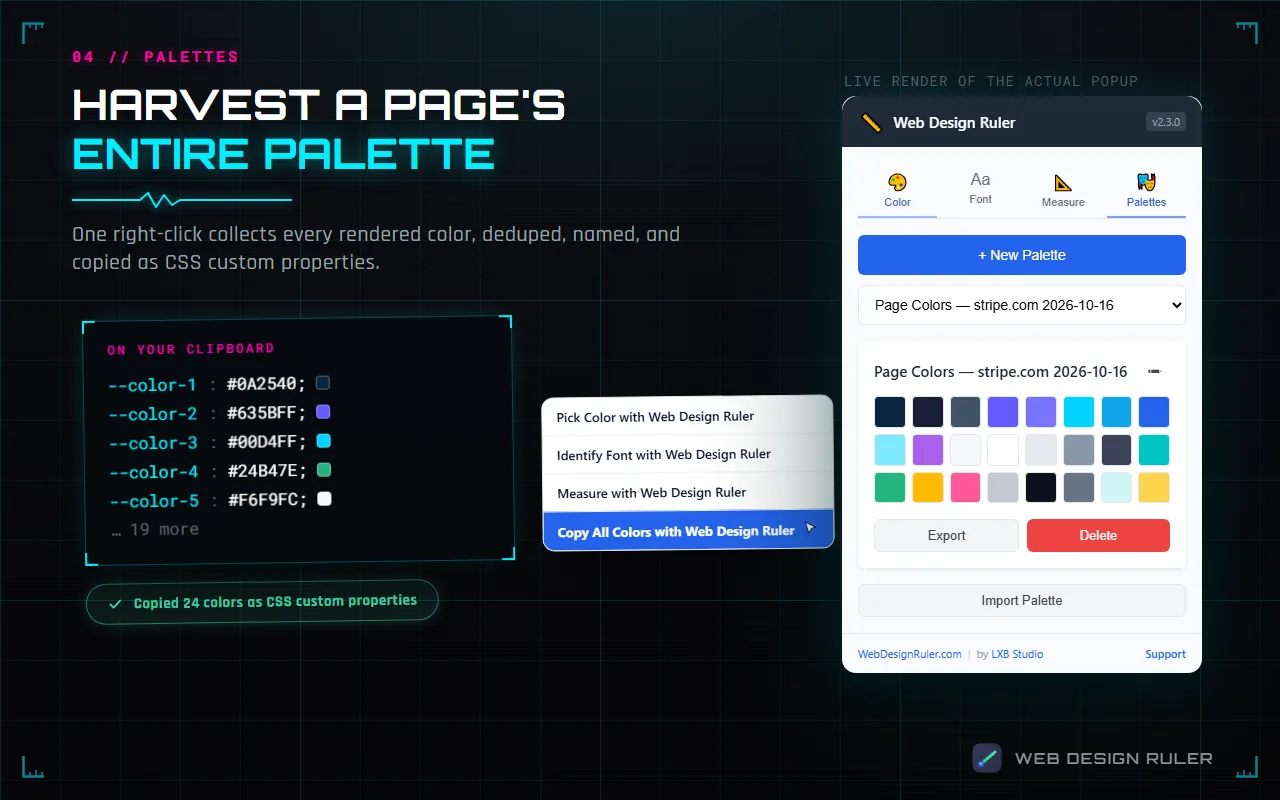
  • "Copy All Colors on Page" quick-action — walks the DOM, dedupes, copies as CSS variables.
  • Firefox-themed default palette + theme-awareness hooks via browser.theme.onUpdated.
  • All innerHTML writes replaced with createElement + textContent for XSS hardening.
  • Background converted to browser.* Promises + async/await throughout.
  • browser.storage.sync wired up behind a syncEnabled flag for palette sync.
Manifest: MV2 + notifications, <all_urls> Firefox 78.0+
v1.1 2025-06-10
Chrome
First public release · Rebrand to Web Design Ruler
  • Renamed from LXB Studio Design AssistantWeb Design Ruler.
  • Tabbed popup UI — Color, Font, Measure, Palettes — with per-tab activation buttons and result panels.
  • Real palette management: create, rename, delete, import (.json), export. Previous build only stubbed a "coming soon" alert.
  • Recent-colors history — last 20 unique picks, persisted, rendered as a grid.
  • Default palettes expanded from one to three (LXB Studio + Material Design + Neutrals).
  • Four tool scripts collapsed into a single ~28 KB content-script.js.
  • Popup-open shortcut: Ctrl+Shift+E → Ctrl+Shift+R (the "Ruler" letter).
Manifest: MV3 Permissions: unchanged from 1.0 Chrome only
v1.0 ~2025-05-09
Internal · Never shipped
LXB Studio Design Assistant — earliest prototype
  • Three tools (color picker, font detector, measurement) in a single-pane popup.
  • One default palette (LXB Studio brand colors).
  • Palette management was a "coming soon" alert.
  • Standalone eyedropper.js used an 8× magnification screenshot-canvas approach (since absorbed).
Manifest: MV3 Chrome only Status: archived

Full source & details · github.com/LXBStudioLLC/web-design-ruler

Ready to Design with Precision? ๐Ÿš€

Download Web Design Ruler today and transform your web design workflow with powerful measurement, font identification, and color picking tools.

Get Started Now